

Your package never showed up. You have questions. The seller feels miles away.Good news, reaching them takes under two minutes. This guide shows you how to message seller on Amazon, whether you’re on the app, the website, before buying, or after your order arrives.
You’ll find short scripts, long scripts, and firm complaint messages, all ready to copy. Whatever your reason, a refund, a sizing question, or a wrong item, there’s a message below for it.
Why You Might Need to Message a Seller on Amazon
Amazon runs on thousands of independent stores, not just one warehouse. Sometimes a listing photo doesn’t match what arrived, or shipping runs slower than expected.
That’s where Amazon buyer seller messaging comes in. It connects you directly with the store behind your order, no phone tag required.
Amazon Third-Party Sellers Problems
- Wrong or damaged product Amazon message situations
- Missing package Amazon seller delays
- Listing details that don’t match the item
- Slow seller response time
- Refund request Amazon seller disputes
How to Message Seller on Amazon (Step-by-Step)
Every order sits inside your account, and so does the seller’s contact option. You don’t need an email address or outside app.
Here’s exactly where to click, on desktop or mobile browser.
- Go to Your Orders and find the order.
- Click Get product support or Problem with order.
- Select Contact seller from the list.
- Pick a reason: shipping, product question, or return.
- Type your note and hit Send.
Tip: Keep your message under five lines for a faster seller response.
How to Message Seller on Amazon App
The mobile app uses the same Amazon message center, just a few taps shorter. This works whether you’re using Amazon iPhone, Amazon Android, or even the Amazon desktop message seller flow on a browser.
Open the order, tap the three dots, then choose “Contact seller”, it’s built for a phone screen.
- Open the Amazon app and go to Orders.
- Tap the order, then Get help.
- Choose Contact seller and pick your reason.
- Write a short note and send.
Copy this opener: “Hi, I need help with my recent order, could you assist?”
How to Contact Seller on Amazon After Purchase
Once your order lands, questions naturally follow, timing, condition, or a swap. This is the most common reason people search how to message seller on Amazon after purchase.
Below are copy-ready lines for the most common cases.
- Wrong item received Amazon: “Hi, I received the wrong item for my order. Could you help me get the correct product or a refund?”
- Damaged product Amazon message: “My order arrived damaged. Here are photos, could you please arrange a replacement or refund?”
- Missing package Amazon seller: “My tracking shows delivered, but I haven’t received my package. Can you check with the carrier?”
- Return message Amazon seller: “I’d like to return this item. Could you confirm the return steps and address?”
- Follow up with Amazon seller (if the seller isn’t responding to messages): “Following up on my message from [date], any update on my order would be appreciated.”
How to Message Seller on Amazon Before Buying
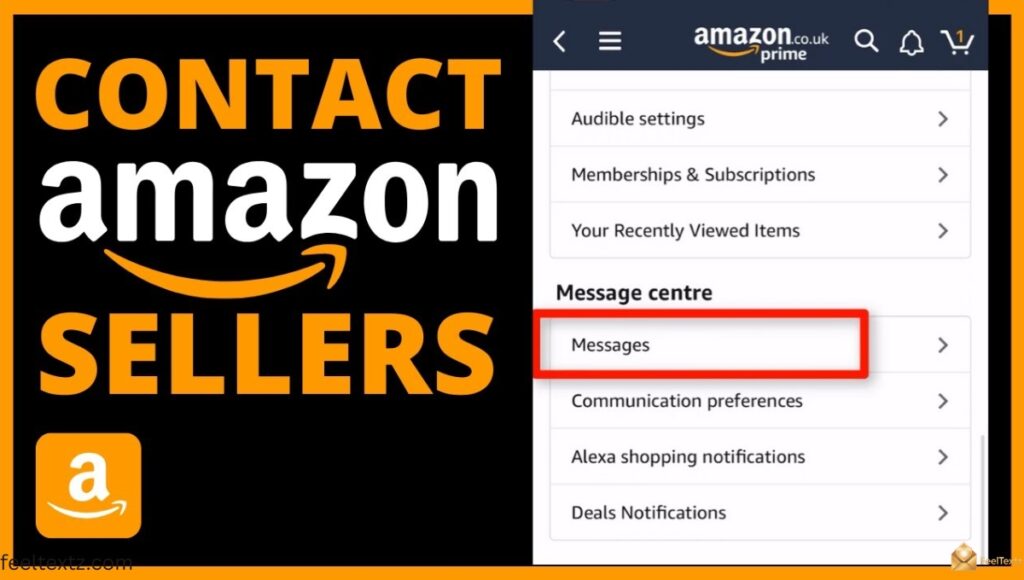
Sometimes the smartest message happens before you click “buy.” A quick product question Amazon seller chat can save you a return later.
This works the same way, straight from the product listing page.
- Product question Amazon seller: “Hi, does this item come in a larger size? Thanks for your help.”
- Shipping issue Amazon seller (pre-order check): “Can you confirm this will arrive before [date]? Just want to plan ahead.”
- Amazon seller storefront check: “I love your shop! Do you have this available in another color?”
How to Message Seller on Amazon About a Product
Ask directly from the Amazon product listing page using the “Ask a question” or “Contact seller” option before you order.
“Is this product true to size, or does it run small?”
How to Message Seller on Amazon About Order
Once you have an order number, questions shift from the product to the Amazon order details page.
“Can you give me an update on my order status? It’s taking longer than expected.”
No Option to Contact Seller – Amazon? Here’s Why
Sometimes the “Contact seller” button disappears completely. This usually means the item is Fulfilled by Amazon (FBA), so Amazon customer service handles it instead of the store.
It can also mean the order window closed, or the item was sold directly by Amazon, not a third-party seller.
- If fulfilled by Amazon → contact Amazon customer service.
- If the order is old → check the “Your Orders” archive.
- If the seller account is closed → file an Amazon A-to-Z guarantee claim, or report seller Amazon, instead.
How to Contact Amazon Seller Support Directly
Sellers don’t run a public phone line, Amazon keeps all buyer-seller communication inside its own system, for safety and record-keeping.
That’s why “seller support” almost always means the in-app message thread, not a phone call.
How to Contact Amazon Seller Support Directly by Phone
There’s no direct seller phone line; messages route through the Amazon message center instead. For phone help, the amazon customer service phone number is the real path, since individual sellers don’t publish numbers.
Amazon Seller Support Phone Number 24/7
No individual seller offers a true 24/7 phone line. Amazon’s own customer service runs around the clock, so use that option whenever a seller goes quiet too long.
Amazon Customer Service
When a seller doesn’t reply within 48 hours, Amazon customer service steps in. They can check order status, process refunds, or escalate a seller complaint on your behalf.
Amazon Customer Service Phone Number
Find the current amazon customer service phone number inside Help > Contact Us, on the app or website, it updates by region and account.
Seller Messaging Assistant Amazon
Many sellers reply through the Seller Messaging Assistant, an automated tool that answers common questions first, like return policies or shipping times.
Don’t worry, if your issue is more specific, it still forwards your message to a real person after the first automated reply.
Message Center Cheat
| Situation | Where to Go | Best Message Type |
| Order not delivered | Your Orders > Get product support | Short, factual |
| Wrong/damaged item | Contact seller > Problem with order | Photo + short note |
| Product question before buying | Amazon product listing page | Friendly, brief |
| No reply in 48 hours | Amazon customer service | Formal follow-up |
| FBA item issue | Amazon customer service | Formal |
Region-Specific Messaging (Canada, UK & More)
The process barely changes if you shop from another storefront. It’s the same message center, just under a different domain.
How to Message Seller on Amazon Canada
Amazon.ca uses the identical Your Orders > Contact seller path as the US site, so the same steps apply across the border.
How to Message Seller on Amazon UK
On Amazon.co.uk, open Your Orders, select the order, then tap Get help to reach the seller directly.
How to Message Seller on Amazon CA
Whether typed as “.ca” or “Canada,” the seller messaging flow inside Your Orders works exactly the same way.
How to Message Seller on Amazon Prime
Prime shipping only affects delivery speed, it doesn’t change who receives your message or how you send it.
Read Also: Happy Birthday Message to Husband: 150+ Ways to Say “I Love You Today”
Frequently Asked Questions
How to message seller on amazon?
Keep it short: state your order number, the issue, and what you want, a refund, replacement, or answer, this is the fastest way to message a seller.
Can I chat with the seller on Amazon?
Yes, through Your Orders, using Amazon’s buyer-seller messaging system. There’s no separate live chat outside that message thread.
How do I send a message to a seller?
Open the order, tap Contact seller, choose a reason, then type your note, that’s the simplest way to reach a seller on Amazon.
Why can’t I message a seller on Amazon?
Usually the item is Fulfilled by Amazon, or the order window closed. Contact Amazon customer service instead in that case.
Conclusion
Every order deserves a clear answer, and now you know exactly how to message seller on Amazon, from the app, the website, before buying, or right after your package arrives. Whether it’s a wrong item, a late delivery, or a simple product question, the right words make the difference between silence and a fast fix.
Pick the script that matches your situation, add your order details, and send it with confidence. If a seller stays quiet, Amazon customer service is always ready to step in. Your next message could be the one that finally gets things sorted, so go ahead and send it.