

Expert games thelaptopadviser delivers real FPS benchmarks, thermal tests, and honest ratings in 2026. This guide helps gamers, creators, and researchers spot throttling traps, soldered RAM limits, and marketing hype before buying.
Stop wasting money on laptops that throttle in ten minutes. You deserve real performance data, not peak FPS claims. Expert games thelaptopadviser flips the script by testing heat, speed, and stability over long sessions. This guide breaks down expert reviews thelaptopadviser so you can spot fake ratings instantly.
You will learn why thelaptopadviser expert gaming matters for your next purchase. From RTX 5090 benchmarks to budget picks under $1000, everything is covered. No fluff. Just facts that help you choose smarter and game harder.
What Is TheLaptopAdviser Expert Gaming?
TheLaptopAdviser expert gaming focuses on real-world performance instead of just paper specs. It tests gaming laptops through actual gameplay, thermal stress tests, and battery endurance checks. This approach helps you see how a machine behaves under pressure. For browser-based games such as Ozwin pokies, browser responsiveness and stable wireless connectivity are also relevant to the playing experience.
Their reviews cover FPS performance, FPS stability, and 1% low FPS across popular titles. You also get details on GPU throttling, frame consistency, and CPU and GPU temperature. This makes it easier to compare laptops fairly.
Who Runs It and Trust Factors
- The platform uses standardized testing across all devices.
- It highlights honest pros and cons without marketing bias.
- Long-term reliability is a core part of every review.
- Expert reviews thelaptopadviser are built on repeatable benchmarks.
Editorial Independence and Bias Check
- They disclose affiliate partnerships clearly.
- Reviews include both strengths and weaknesses.
- High-commission products are not automatically recommended.
- An expert report example shows they test before they rank.
How TheLaptopAdviser Tests Gaming Laptops
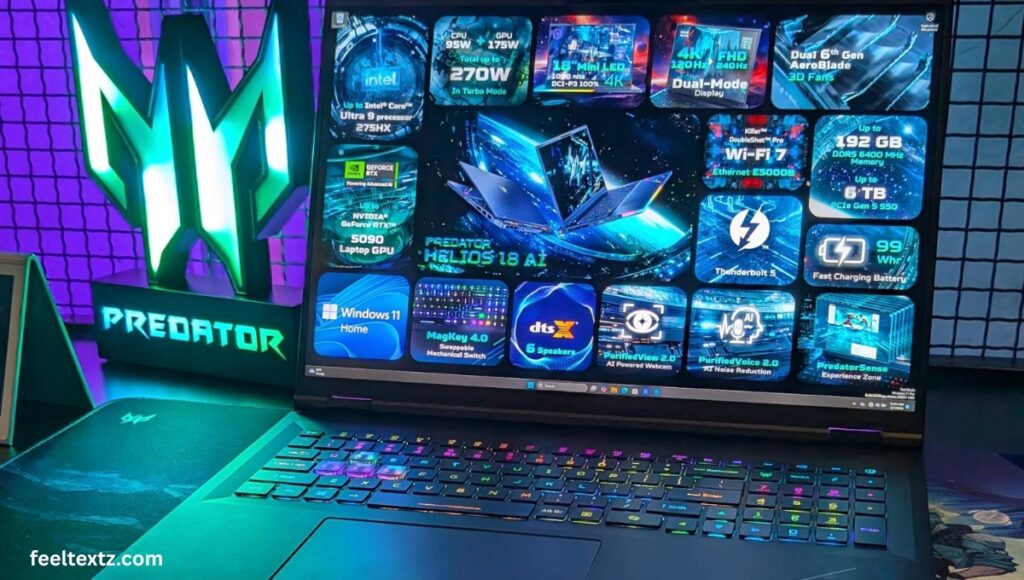
Testing starts with synthetic benchmarks for CPU and GPU power. Then experts run real gaming sessions to measure sustained FPS and performance consistency. Every laptop goes through the same process.
They also check power limits and component variation between identical models. This reveals hidden issues like throttling or poor cooling system design. The goal is real-world testing, not just specs.
Benchmark Games, FPS, and Thermals
- Cyberpunk 2077 (2020, PC/PS/Xbox, CD Projekt Red) tests ray tracing and open-world RPGs.
- Call of Duty: Warzone (2020, PC/PS/Xbox, Activision) measures competitive shooters.
- Fortnite (2017, PC/PS/Xbox/Switch, Epic Games) checks frame consistency.
- Apex Legends (2019, PC/PS/Xbox/Switch, Respawn) tracks input response time and latency.
Benchmark Game Details
| Game | Genre | Release Date | Developer | Publisher | Price | Multiplayer |
| Cyberpunk 2077 | Open-world RPG | 2020 | CD Projekt Red | CD Projekt | $60 | No |
| Call of Duty: Warzone | Competitive shooter | 2020 | Infinity Ward | Activision | Free | Yes |
| Fortnite | Battle royale | 2017 | Epic Games | Epic Games | Free | Yes |
| Apex Legends | Hero shooter | 2019 | Respawn | EA | Free | Yes |
Battery, Noise, and Build Testing
- Battery life is tested during mixed usage, not just gaming.
- Fan noise levels are recorded in silent and turbo modes.
- Build quality checks include hinge strength and keyboard response.
- Display accuracy and color accuracy are measured for sRGB and DCI-P3.
Expert Games TheLaptopAdviser Rating System
Scores are not random numbers. Each laptop earns points based on performance breakdown, thermals, display, and battery. The rating system uses the same weights for every device.
This means you can compare a budget model and a premium rig on equal terms. The final score reflects heat, speed, and stability in real conditions.
What Each Score Actually Means (Table: Rating Category Weights)
| Category | Weight | What Is Measured |
| Gaming performance | 35% | FPS stability, 1% low FPS, frame consistency |
| Thermals | 25% | CPU and GPU temperature, GPU throttling |
| Display | 15% | Color accuracy, refresh rate, response time |
| Build quality | 15% | Keyboard response, hinge, materials |
| Battery | 10% | Battery endurance checks, mixed usage |
Key Specs That Matter for Gaming
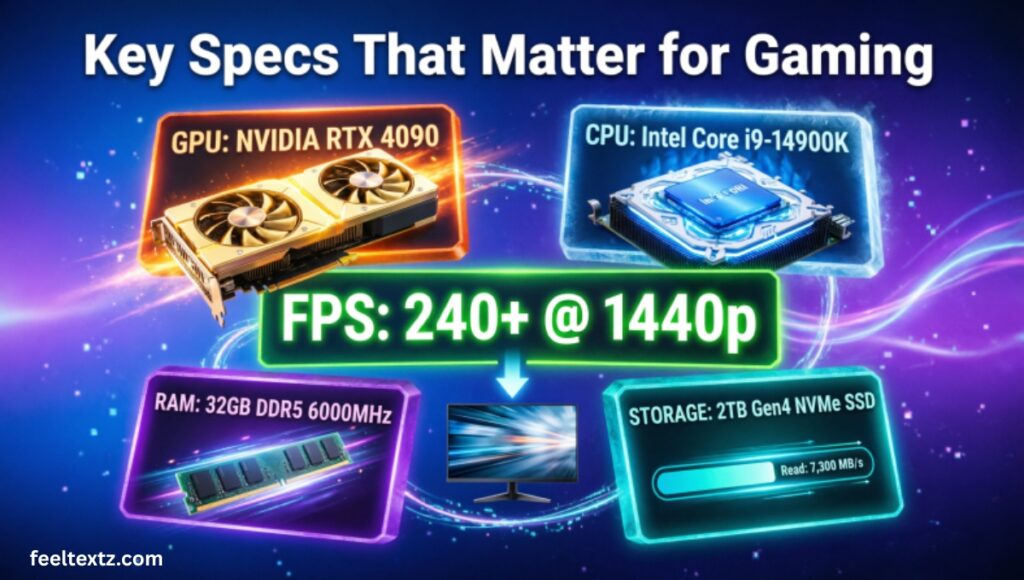
Processor, RAM, and storage work together like a balanced team. A strong GPU means nothing if the CPU bottlenecks it. Similarly, slow storage ruins load times and multitasking.
You should also check GPU strength, ray tracing support, and cooling system efficiency. These factors decide whether you get smooth gameplay or constant stutters.
CPU, GPU, RAM, and TGP Balance
- Look for a modern processor with at least 8 cores.
- 16GB RAM is the sweet spot for gaming and multitasking.
- SSD vs HDD: always choose SSD for faster load times.
- TGP (Total Graphics Power) directly affects GPU strength.
MUX Switch, Cooling, and Display
- A MUX switch improves FPS by bypassing the integrated GPU.
- Cooling system design prevents overheating and fan noise.
- Display accuracy matters for creative laptops and competitive shooters.
- Keyboard response and input latency affect esports performance.
RTX 5090 vs 5080 vs 4080
These three GPUs target different budgets and resolutions. The RTX 5090 leads in raw power for 4K ultra and heavy ray tracing. The RTX 5080 balances high-end performance for 1440p gaming.
The RTX 4080 remains efficient for smooth 1440p or entry 4K. But real FPS + benchmarks show that power limits and cooling change everything. A well-cooled 4080 can beat a throttled 5090.
Real FPS and Value Comparison (Table: GPU Comparison)
| GPU | TGP Range | VRAM | Best Resolution | Value Rating |
| RTX 5090 | 150-175W | 16GB | 4K Ultra | High |
| RTX 5080 | 115-150W | 12GB | 1440p High | Best |
| RTX 4080 | 115-150W | 12GB | 1440p/Entry 4K | Good |
Expert Games TheLaptopAdviser Controversies
Most review sites highlight peak performance but ignore long-term issues. A laptop may run fast for ten minutes, then throttle due to heat or power limits. This is a common buying mistake.
Another controversy is performance inconsistency between plugged and unplugged modes. Many gamers only discover this after purchase. Component variation also means two identical models can perform differently.
TGP Throttling and Soldered RAM
- Some laptops advertise high TGP but throttle under load.
- Soldered RAM cannot be upgraded later, limiting longevity.
- Check if the cooling system can handle sustained FPS.
- An expert opinion example warns against ignoring these details.
Affiliate Bias and Review Unit Differences
- Review units are often hand-picked by manufacturers.
- Retail units may have different thermal paste or fans.
- Affiliate commissions can influence recommendations.
- Look for expert examples of sites that criticize popular brands.
Hidden Truths Review Sites Miss
- Fan noise levels increase as dust builds up over months.
- Battery life drops faster on gaming laptops than ultrabooks.
- Business laptops and student laptops often have better build quality.
- Creative laptops may prioritize display accuracy over raw FPS.
Common Misconceptions Debunked
Many buyers believe more RAM always means faster gaming. In reality, 16GB is enough for most AAA titles and competitive shooters. Extra RAM sits unused.
Another myth is that an i9 always beats an i7 for gaming. GPU strength and cooling matter far more. Similarly, a 4K screen is not always better than a fast 1440p panel.
RAM, i9, 4K, and Refresh Rate Myths (Table: Myths vs Reality)
| Misconception | Reality | Why It Matters |
| More RAM = faster | 16GB is enough for gaming | Extra RAM unused |
| i9 > i7 for games | GPU and cooling matter more | Wasted money |
| 4K is always best | 1440p high refresh is better | Better FPS stability |
| Higher refresh = better | Response time and latency matter | Smoother gameplay |
Best Gaming Laptops by Real Testing
Rankings come from real-world testing, not specs alone. Experts test across genres including open-world RPGs, esports, and simulation games. This shows which laptops handle different workloads.
The best high-performance gaming laptops earn their spot through sustained FPS, cooling efficiency, and keyboard comfort. Professional gamer-approved models also offer low input response time and latency.
Budget, Mid-Range, and Premium Picks (Table: Best Picks by Budget)
| Budget | Price Range | Key Specs | Best For |
| Budget | $700-$1,000 | RTX 4050, 16GB RAM | Casual gamers |
| Mid-range | $1,000-$1,800 | RTX 4060/4070 | Mainstream gamers |
| Premium | $1,800-$3,000 | RTX 4080/4090 | Enthusiasts |
| Desktop replacement | $3,000+ | RTX 5090 | Max performance |
Pre-Purchase Checklist and Warranty
A pre-purchase checklist helps you avoid impulse buying. Check performance, memory, storage, display, battery, and cooling. If two or three points fail, reconsider.
Warranty and after-sales support matter for long-term reliability. Gaming laptops run hot, so fan failures and battery degradation are common. Always read the return policy before buying.
After-Sales Support Comparison (Table: Warranty Comparison)
| Brand | Standard Warranty | Extended Options | Support Rating |
| ASUS | 1 year | +2 years | 4.2/5 |
| MSI | 1 year | +2 years | 4.0/5 |
| Lenovo | 1 year | +3 years | 4.5/5 |
| Dell | 1 year | +4 years | 4.3/5 |
Future-Proofing Your Gaming Laptop
Future-proofing means balancing current performance with upgrade options. A laptop with soldered RAM and a weak cooling system will age quickly. Portability also matters if you travel often.
Check if the storage and RAM are upgradeable. Look for Thunderbolt or USB4 ports for external GPUs. A strong battery life helps when you are away from a wall outlet.
Upgradeable vs Soldered Components
- Soldered RAM saves space but blocks future upgrades.
- Upgradeable SSD slots let you add storage later.
- Some laptops allow RAM upgrades up to 64GB.
- Always check the manufacturer’s service manual.
How Long Will Specs Last?
- A mid-range RTX 4060 handles 1080p gaming for 3-4 years.
- High-end GPUs last 4-5 years at 1440p.
- Battery life degrades noticeably after 2-3 years.
- Cooling system maintenance extends lifespan.
Frequently Asked Questions
What is the release date of expert games thelaptopadviser?
Expert games thelaptopadviser is an ongoing review site, not a game, so it has no single release date; updates continue in 2026.
What platforms does expert games thelaptopadviser cover?
Expert games thelaptopadviser covers Windows gaming laptops primarily, with some coverage of macOS and Linux alternatives for portable gaming and reviews.
Who is the developer of expert games thelaptopadviser?
TheLaptopAdviser editorial team develops expert games thelaptopadviser content, not a game studio, focusing on independent laptop reviews and benchmarks for gamers.
How much does expert games thelaptopadviser cost?
Access to expert games thelaptopadviser is completely free; the site earns through affiliate links when readers buy recommended laptops online.
What system requirements does expert games thelaptopadviser need?
Expert games thelaptopadviser only needs a modern browser and internet connection; no downloads, installs, or special hardware to access its reviews.
How does gameplay work in expert games thelaptopadviser?
Gameplay in expert games thelaptopadviser refers to tested FPS, frame consistency, and thermal performance across AAA titles and esports games.
Conclusion
Expert games thelaptopadviser delivers real-world FPS benchmarks, thermal stress tests, and battery endurance checks. expert reviews thelaptopadviser focus on sustained performance, not paper specs. TheLaptopAdviser expert gaming exposes TGP throttling, soldered RAM, and affiliate bias. It ranks laptops by heat, speed, and stability. Use their pre-purchase checklist to avoid buying mistakes.
Compare RTX 5090, 5080, and 4080 with real FPS data. Check warranty and upgrade paths. For gamers, esports players, and creators, expert games thelaptopadviser provides honest pros and cons. Always trust real-world testing over marketing. Choose a laptop that matches your budget, portability needs, and long-term reliability. That is the very core value of expert games thelaptopadviser.