

Ever typed a message, then paused? You wanted it sent later. Not now, exactly on time.So, can you schedule a text on iPhone? Yes, absolutely. This guide covers how to schedule a message on iPhone in minutes, how to schedule a text on iPhone using Send Later, how to send scheduled text iPhone style for birthdays and reminders, and how schedule send iMessage keeps things private.
We’ll also cover schedule send text iPhone tricks for older models, WhatsApp, Instagram, and Android. Heartfelt, funny, short, or long, every example is copy-ready.
What Is the Send Later Feature on iPhone?
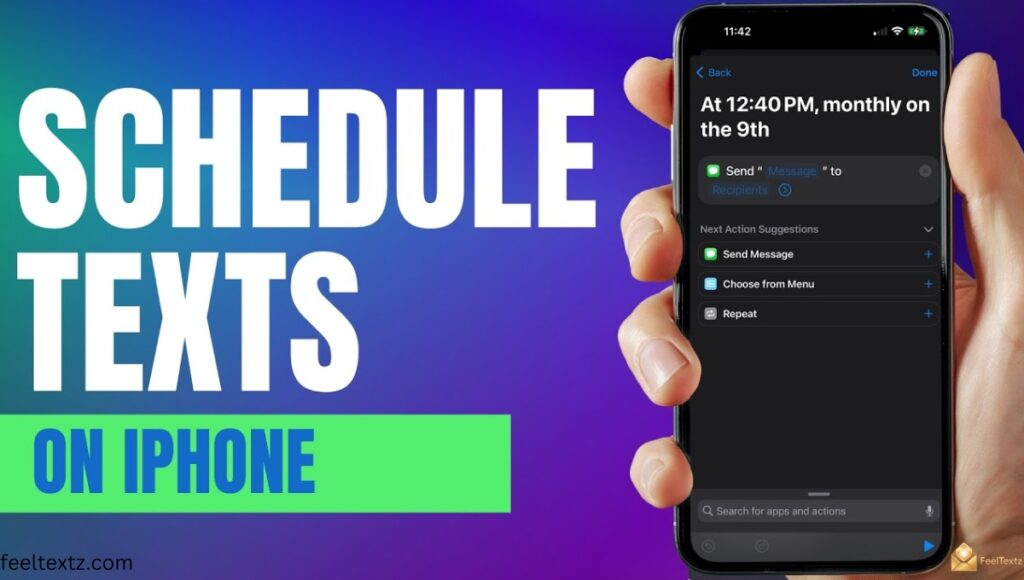
Apple’s Send Later feature, added in iOS 18, lets you schedule a text message right inside the Messages app. Instead of typing and hoping you remember, you set the time and iMessage does the rest.
It’s simple, private, and needs no extra apps for scheduled text messages between iPhones.
Key Limits You Should Know
- Works for one recipient per message only
- Scheduling has a 14-day window, 14 days in advance, max
- Only works iMessage to iMessage (blue bubble to blue bubble)
- Scheduled texts sit on Apple’s encrypted servers until they send
How to Schedule a Text on iPhone (Step-by-Step)
Wondering how to schedule a text on iPhone with no third-party apps? The Messages app has it built in already.
Here’s exactly how to schedule a message on iPhone using Send Later.
How to Schedule a Text on iPhone iOS 18 (Send Later Method)
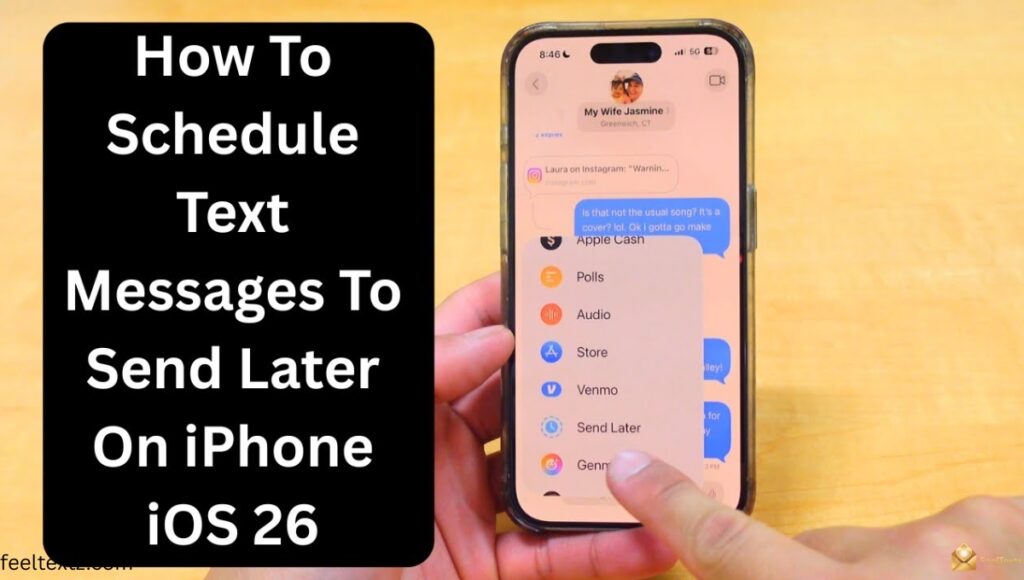
- Open the Messages app and start a new text
- Tap the + symbol next to the message field
- Choose Send Later
- Tap the dotted bubble to set your date and time
- Type your message, then tap the send arrow
- “Happy Birthday! Hope your day is as amazing as you are. 🎂”
How to Schedule a Text on iPhone iOS 17
If you’re still on iOS 17, Send Later isn’t available yet, but the Shortcuts app covers it.
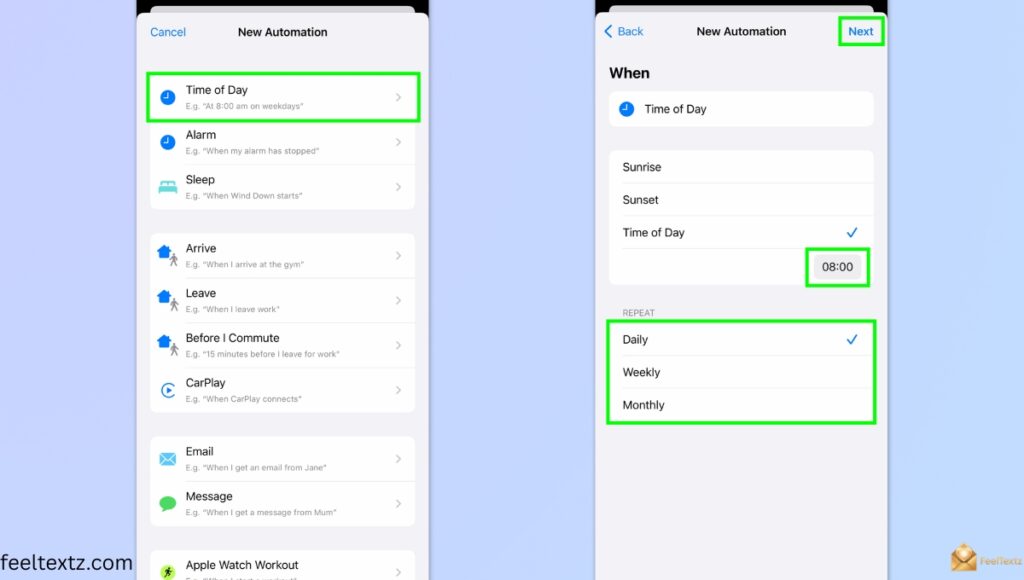
- Open Shortcuts and tap Automation
- Tap New Automation, choose Time of Day trigger
- Set your day and time
- Add the Send Message action
- Type your text, pick a recipient, and save
Note: this method only supports recurring scheduled sends if the message stays identical every time.
Why Isn’t Send Later Showing Up on Your iPhone?
- Make sure you’re messaging an iMessage contact (blue bubble) — Send Later never appears for green-bubble SMS threads
- Confirm iMessage is turned ON: Settings > Messages > iMessage
- Update to iOS 18 or later — the feature simply doesn’t exist on older versions
- Check you’re not in a group chat — Send Later only supports one-to-one conversations
- Restart the Messages app or your iPhone if the option still doesn’t appear after meeting all conditions above
Does Scheduling Work on Every iPhone Model?
Whether it’s iPhone 13, 14, 15, 16, or 17, the answer depends on your iOS version, not the device.
Update to iOS 18 or later, and Send Later works the same everywhere.
| iPhone Model | Keyword Covered | iOS Needed | Send Later Support |
| iPhone 11 | how to schedule a message on iphone 11 | iOS 18+ | Yes |
| iPhone 13 | how to schedule a text on iphone 13 | iOS 18+ | Yes |
| iPhone 14 | how to schedule a text on iphone 14 | iOS 18+ | Yes |
| iPhone 15 | how to schedule a text on iphone 15 | iOS 18+ | Yes |
| iPhone 16 | how to schedule a text on iphone 16 | iOS 18+ | Yes |
| iPhone 17 | how to schedule a message on iphone 17 | iOS 18+ | Yes |
How to Schedule a Message on iPhone iOS 26
Apple hasn’t confirmed major Send Later changes for iOS 26 yet. The 14-day window and one-recipient rule are expected to carry over, we’ll update this section once iOS 26 is official.
Can You Edit or Cancel a Scheduled Text on iPhone?
Plans change, and Apple knows it. You can edit or cancel scheduled text messages anytime before they send.
Open the conversation, find the scheduled bubble, and tap Edit or Delete.
How to Schedule a Message on iPhone to Android
Wondering how to send a scheduled text on iPhone to Android? Send Later only works over iMessage, texts to Android arrive as regular SMS/MMS and skip the native scheduling menu.
For that, use the Shortcuts workaround above, it works over SMS too, not just iMessage.
- “Running 10 mins late, be there soon!”
How to Schedule a Text on WhatsApp
WhatsApp has no built-in scheduling yet, but you can pair it with Shortcuts the same way as SMS.
How to Schedule a Message on WhatsApp
Set a Time of Day trigger, add the Send Message action, then choose WhatsApp as the app.
- “Good morning! Hope your day starts beautifully. ☀️”
How to Schedule a Message on iPhone WhatsApp
Same automation, just select WhatsApp instead of Messages in the final step. Confirm the number matches a saved contact first.
What Happens If Your iPhone Is Off or Offline When a Scheduled Text Is Due?
- Apple holds the scheduled message on its encrypted servers, so it doesn’t rely on your phone being awake at the exact moment
- If your iPhone is powered off or has no internet connection at send time, the message will go out as soon as the device reconnects
- If the scheduled time passes while offline, the text sends immediately upon reconnecting — it won’t be dropped or need re-scheduling
- However, if the recipient’s device is offline or unreachable, standard iMessage delivery rules apply (it’ll show as delivered once they’re back online)
How to Schedule a Message on Instagram
Instagram doesn’t support scheduled DMs directly on iPhone, but Meta’s Creator Studio lets you schedule posts and stories ahead of time.
For direct messages, the Shortcuts automation trick remains your best workaround.
Scheduling Texts at Scale: iPhone vs Android vs Business Platform
Personal scheduling is great for one message to one person. Teams handling driver shift reminders, interview confirmations, or appointment reminders need more than that.
That’s where a business texting platform like MessageDesk comes in, built for broadcast messaging, not single texts.
| Feature | iPhone (Send Later) | Android scheduling (Google Messages) | Business Platform |
| Recipients | 1 | 1 | Up to 100+ |
| Recurring sends | Shortcuts only | No | Broadcast scheduling |
| Team visibility | No | No | Yes, shared business inbox |
| Audit trail | No | No | Yes |
| Compliance | N/A | N/A | A2P 10DLC registration, TCPA consent |
Dispatch teams, HR coordinators, and anyone running candidate outreach or customer check-ins at scale usually outgrow personal scheduling fast, carrier registration and bulk SMS tools handle what one phone can’t.
Samsung Messages is being phased out in favor of Google Messages, so Android scheduling is consolidating into one app. Desktop access differs too, Mac/iMessage syncs via Apple ID sync, while Android’s desktop scheduling stays inconsistent.
Read Also: Happy Birthday Message to Husband: 150+ Ways to Say “I Love You Today”
Frequently Asked Questions
Can you schedule a text message on an iPhone?
Yes. iOS 18’s Send Later feature lets you know exactly how to schedule a message on iPhone, set a time, and it sends automatically.
Why can’t I see the send later option on my iPhone?
Send Later needs iOS 18+ and iMessage (not SMS). Update your software if you’re figuring out how to schedule a message on iPhone but the option’s missing.
How do I send a message on my iPhone at a later time?
Tap +, choose Send Later, pick your date and time. That’s the fastest way to learn how to schedule a message on iPhone today.
How can I schedule SMS messages?
Native iOS scheduling only works for iMessage. For SMS, use the Shortcuts app automation, it’s the reliable route to schedule a message on iPhone for Android contacts too.
Conclusion
Timing turns a good message into an unforgettable one. Now you know how to schedule a message on iPhone, whether it’s how to schedule a text on iPhone through Send Later or Shortcuts for older models.
Yes, can you schedule a text on iPhone is settled: it’s built right in. Master the send scheduled text iPhone method, get comfortable with schedule send iMessage, and use schedule send text iPhone tricks for WhatsApp or Android too. Pick your favorite message above, set the time, and let it land exactly when it matters most, with love, right on schedule.