

You send a text. It shows up green instead of blue. Your stomach drops a little. Did they block you? Is your phone broken?
Take a breath, it’s usually nothing personal. Why are my texts green is one of the most common iPhone questions out there, and the answer is simpler than you think. This article covers what green texts mean, why is my text message green in different situations, and exactly how to get your blue bubbles back.
What Do Green Texts Mean?
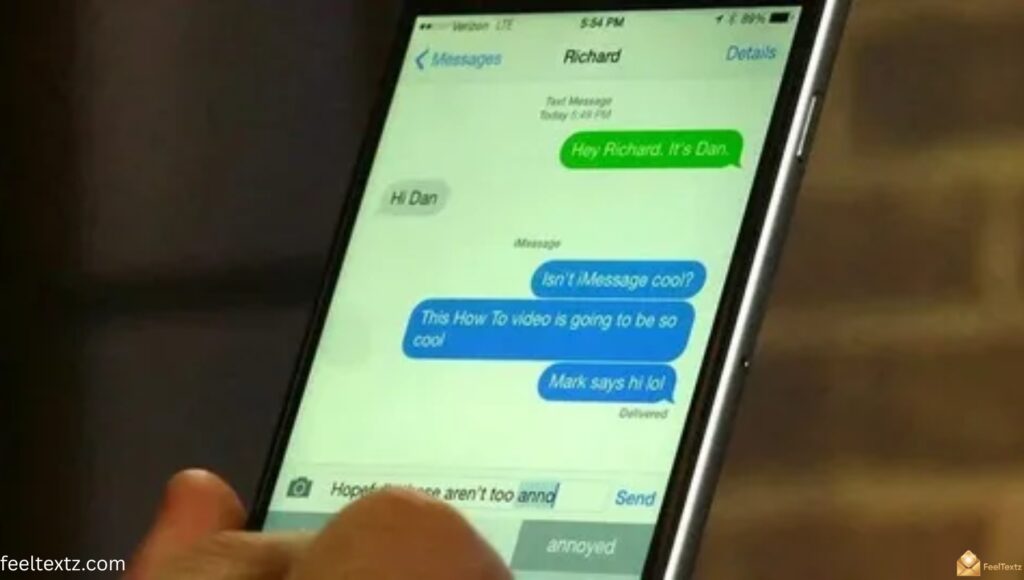
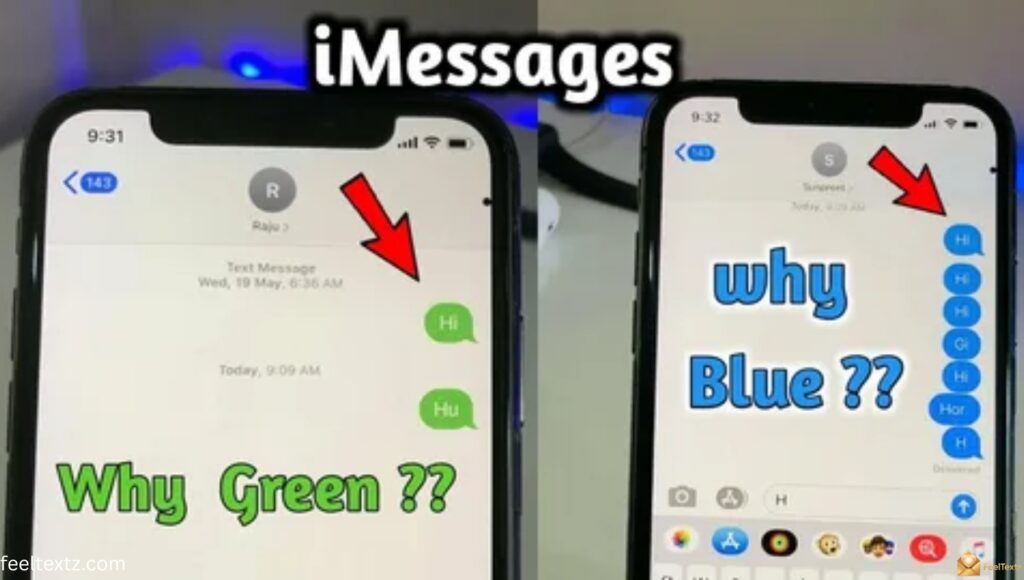
Green texts simply mean your message didn’t go through Apple’s iMessage system. Instead, it was sent as a regular SMS or MMS text over your cellular network.
It’s not a punishment or a glitch, it’s just a different messaging service type doing its job.
What Does It Mean When a Text Message Is Green
When a text message is green, it means iMessage wasn’t available for that conversation. Your iPhone automatically switched to SMS/MMS so your message could still be delivered without interruption.
What Does It Mean When the Message Is Green
The message is green because it traveled through your carrier’s cellular network instead of the internet. There’s no encryption, no read receipts, and no typing indicators in this mode.
What Does It Mean If a Text Is Green
If a text is green, either you or the recipient isn’t connected to iMessage at that moment. This can happen due to signal issues, settings, or a non-iPhone device on the other end.
Why Is My Text Message Green? Common Reasons
Before you panic, check the basics. Most green text issues come down to connection or compatibility, not anything personal.
Here’s what usually causes it:
- Recipient’s device doesn’t support iMessage
- No stable internet connectivity or Wi-Fi connection
- Weak cellular coverage
- iMessage toggle turned off in Messages settings
- International messaging defaulting to SMS
Why Is My Text Message Green Instead of Blue
Your text message is green instead of blue because the recipient’s device or your device couldn’t establish an iMessage connection at that moment. Once connectivity returns, future messages may switch back to blue automatically.
Why Is My Text Message Green On iPhone
Even between two iPhones, a text message can turn green on iPhone if iMessage is disabled in settings or if one device is temporarily offline. Checking your Messages settings usually resolves this.
iMessage vs SMS: Quick Comparison
Here’s a simple breakdown of the two message types so you know exactly what you’re dealing with.
| Feature | iMessage (Blue) | SMS/MMS (Green) |
| Connection Type | Wi-Fi connection or data usage | Cellular network |
| Encryption | End-to-end encryption | No message encryption |
| Media Sharing | High media sharing quality | Lower-quality media |
| Cost | Free | Carrier charges may apply |
| Read Receipts | Yes | No |
Why Are My Texts Green When Texting Another iPhone
This is confusing because logically, two iPhones should always show blue. But iMessage relies on internet connectivity, not just device type.
If either phone loses Wi-Fi connection or cellular data momentarily, the message falls back to SMS and turns green, even iPhone to iPhone.
Why Are My Texts Green When Texting Another iPhone How to Fix
To fix this, both devices need active internet connectivity and iMessage enabled. Try these steps:
- Confirm both phones have Wi-Fi or data turned on
- Restart the Messages app or the device
- Toggle iMessage off and back on in settings
- Check for a carrier or Apple service outage
Why Are My Messages Green When They Should Be Blue
This usually points to a temporary glitch rather than a permanent change. iMessage activation can silently fail without any warning on screen.
Re-verifying your settings almost always brings the blue bubbles back within minutes.
Why Are My Messages Green For One Person
If it’s only happening with one contact, the issue is likely on their end, a new phone, a disabled iMessage setting, or no data at the time you texted them. It’s rarely something on your device.
Why Is My iPhone Sending Green Messages To One Contact
Your iPhone may be sending green messages to one contact because their number isn’t currently registered with iMessage, possibly after a SIM swap, device change, or software reset on their side.
Green Message on iPhone Mean Blocked?
This is the biggest fear people have, but it’s usually not true. A green message on iPhone mean blocked myth has been around for years, yet the color itself proves nothing about blocking.
Blocked contacts typically show no delivery confirmation at all, not just a green bubble.
Why Did My Text Messages Turn From Blue To Green Am I Blocked
If your text messages turned from blue to green, it more likely means the person switched phones, lost iMessage access, or has connectivity problems. To check for blocking, look for missing “Delivered” status across multiple messages, not just color.
Green Texts in Group Chats, Android, and RCS
Green texts don’t always mean the same thing. Context matters, group chats, Android, and RCS all behave differently.
Why Is My Text Message Green In a Group Chat
A group chat turns green the moment even one member doesn’t have iMessage. Apple requires every participant to support iMessage for the whole thread to stay blue.
Why Is My Text Message Green On Android
Text messages sent to Android are always green because iMessage is an Apple-exclusive service. Android devices communicate through SMS, MMS, or RCS instead.
Why Are My Texts Green and Say RCS
If it says RCS, your message used Rich Communication Services, a modern SMS upgrade with better media sharing quality, but still not iMessage. This is normal when texting Android users.
Why Is My Text Message Green When I Have an iPhone
Having an iPhone doesn’t guarantee blue texts if the recipient doesn’t have one, or if your iMessage temporarily lost internet connectivity.
Why Are My Texts Green RCS
A green RCS message simply confirms you’re using Google’s messaging protocol for cross-platform texting, which still lacks Apple’s end-to-end encryption.
Why Is My Text Message Green and Not Delivered
If your text message is green and not delivered, check cellular coverage first. Weak signal or airplane mode on either device commonly blocks SMS delivery.
Why Are My Messages Green How to Fix
Fixing green texts is usually quick once you know where to look. Focus on connectivity and settings first before assuming device compatibility issues.
Try this checklist:
- Check internet connection on both Wi-Fi and cellular
- Confirm iMessage is toggled on
- Restart your device
- Sign out and back into your Apple ID under Messages
How To Turn On iMessage
Go to Settings, tap Messages, then switch the iMessage toggle on. Wait a few seconds for activation to complete before sending a test message.
Traveling Abroad? Here’s How to Stay Blue
International travel is one of the top reasons texts unexpectedly turn green. Without a data plan, your phone can’t reach Apple’s servers to send iMessages.
A reliable eSIM solves this instantly, keeping your messaging seamless across borders.
- Avoid costly roaming charges with a global data plan
- Get instant activation without a physical SIM
- Enjoy worldwide coverage in 100+ countries
- Maintain affordable connectivity and a reliable internet connection abroad
USIMS data plans are built exactly for this, helping travelers keep iMessage active and their texts blue, no matter where they land.
Frequently Asked Questions
How do I fix green text messages?
Check your internet connectivity, confirm iMessage is toggled on, and restart your device. This resolves why are my texts green in most cases quickly.
How do I make my messages blue again?
Enable iMessage in settings, connect to Wi-Fi or data, then resend the message. This is the fastest way to stop wondering why are my texts green.
Do green texts mean blocked?
No. Green simply means the message went as SMS instead of iMessage. Blocking shows differently, so why are my texts green doesn’t automatically mean blocked.
Am I blocked if it goes green?
Not necessarily. A single green bubble usually points to a connectivity or device issue, not blocking. Check for missing delivery confirmations instead.
Read Also: Heartfelt Loss of Mother Message Ideas to Comfort a Grieving Heart
Conclusion
So why are my texts green? They aren’t a red flag, it’s just your phone switching to SMS when iMessage isn’t available. Whether it’s a Wi-Fi drop, an Android contact, or travel abroad, the fix is almost always connectivity or settings.
Now that you know what do green texts mean, what does it mean when a text message is green, and what does it mean if a text is green, you can stop worrying and start troubleshooting with confidence. Keep your iMessage active, stay connected, and enjoy smoother, bluer conversations wherever you go.